Why I Switched to Pages CMS for My Astro Blog"
After trying different CMS solutions, I found Pages CMS to be one of the simplest ways to manage an Astro website. Here's why I use it and why you might want to as well.
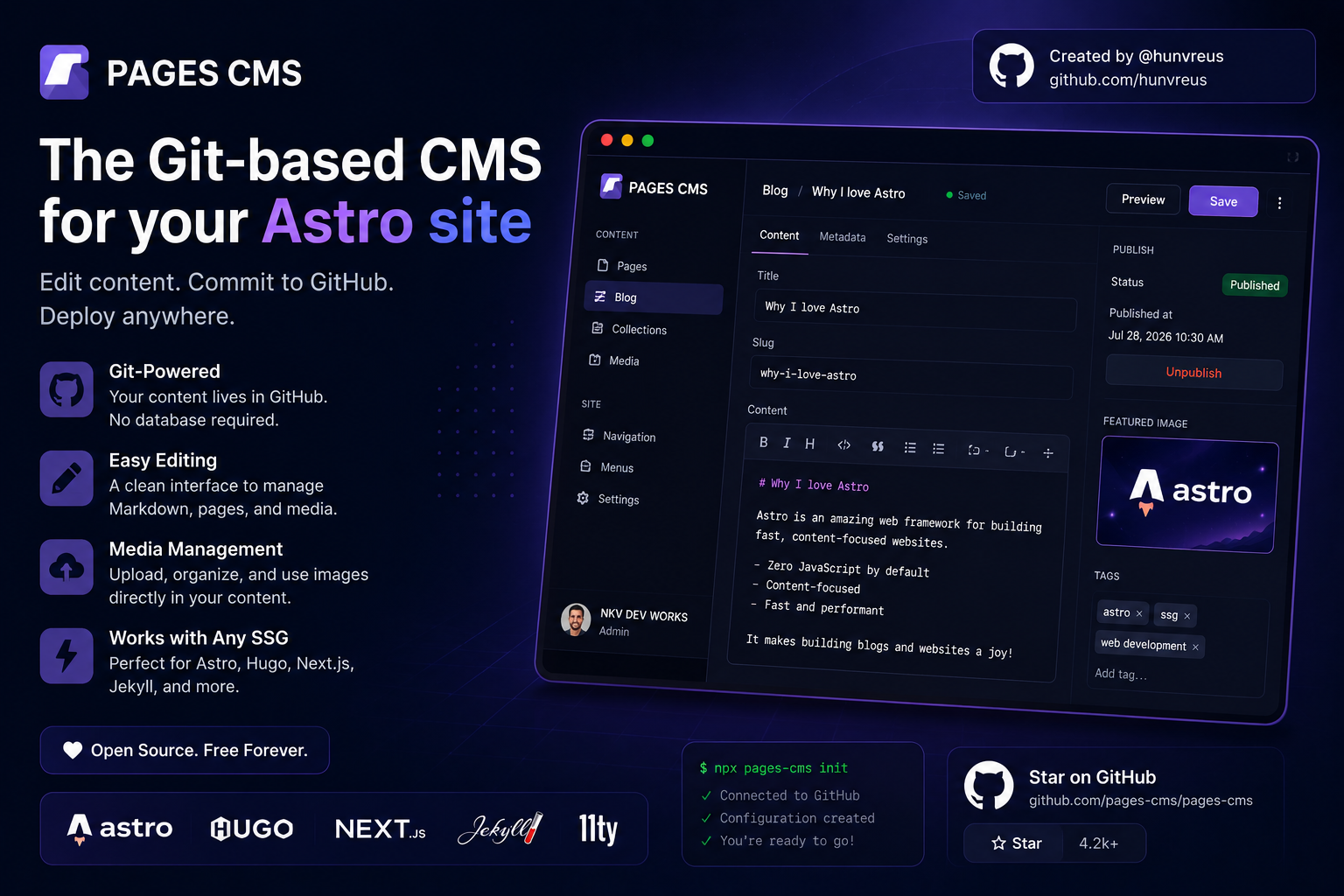
Why I Switched to Pages CMS for My Astro Blog
When I first built my website using Astro, I loved how fast it was.
Writing blog posts in Markdown was easy for me, but whenever I wanted someone else to edit content, things became complicated.
I had to explain Git, GitHub, commits, pull requests, Markdown formatting, image uploads… and suddenly something as simple as updating a blog post felt difficult.
That’s when I discovered Pages CMS, and honestly, it solved a problem I didn’t even realize I had.
What is Pages CMS?
Pages CMS is a free and open-source Content Management System that works directly with your GitHub repository.
Instead of storing your content in a separate database, it edits the files that already exist in your project.
If your website uses:
- Astro
- Hugo
- Jekyll
- Next.js
- Nuxt
- VuePress
- 11ty
…Pages CMS works beautifully with it. :contentReference[oaicite:0]{index=0}
No Database. No Backend.
This is what makes Pages CMS special.
Most traditional CMS platforms require:
- A database
- Authentication
- APIs
- Hosting the CMS separately
Pages CMS doesn’t.
Your content already exists inside your GitHub repository.
Pages CMS simply provides a beautiful interface for editing those files. :contentReference[oaicite:1]{index=1}
How It Works
The setup is surprisingly simple.
- Create your Astro website.
- Add a
.pages.ymlconfiguration file. - Sign in to Pages CMS with GitHub.
- Connect your repository.
- Start editing content through the visual interface.
Whenever you save a change, Pages CMS commits it directly to your GitHub repository.
No copying files.
No FTP.
No manual uploads. :contentReference[oaicite:2]{index=2}
Why I Like It
There are plenty of CMS options available today.
But Pages CMS focuses on doing one thing really well.
Simple Setup
Unlike many CMS platforms, there isn’t a huge installation process.
Once your configuration is ready, you’re good to go.
Perfect for Astro
Since Astro stores blog posts as Markdown files, Pages CMS feels like it was designed for it.
It lets you:
- Create new posts
- Edit Markdown
- Upload images
- Manage frontmatter
- Search content
All without touching Git.
Your Content Stays Yours
One of my favorite things about Pages CMS is that your content always stays inside your GitHub repository.
There isn’t another platform storing your articles.
There isn’t another database to maintain.
Everything remains where it belongs.
This also means your Git history continues to work exactly as before.
Great for Clients
Imagine building a website for a client.
Normally you’d have to teach them:
- GitHub
- Markdown
- Repository structure
With Pages CMS they simply log in and edit content through a clean interface.
That’s a much better experience.
Media Management
Uploading images is incredibly simple.
Instead of manually copying files into folders, Pages CMS includes a media manager where you can upload and organize assets directly inside your repository. :contentReference[oaicite:3]{index=3}
Why I Chose It Over Other CMS Options
I’ve looked at several headless CMS platforms.
Most of them are excellent products.
But for a static Astro website, many felt like overkill.
I didn’t need:
- A separate database
- API tokens
- Monthly subscriptions
- Complex user management
I just wanted an easy way to edit Markdown files.
Pages CMS does exactly that.
Nothing more.
Nothing less.
Is It Free?
Yes.
Pages CMS is completely free and open source under the MIT License.
You can use the hosted version, deploy your own instance, or even contribute to the project yourself. :contentReference[oaicite:4]{index=4}
Who Should Use Pages CMS?
I would recommend Pages CMS if you’re building:
- Astro blogs
- Personal websites
- Documentation sites
- Company websites
- Portfolio websites
- Static landing pages
If your content already lives in GitHub, Pages CMS is an excellent fit.
Huge Respect to the Creator
One thing I always appreciate about open-source software is the people behind it.
Pages CMS was created by Ronan Berder, known online as @hunvreus. His goal was to make editing Git-based static websites simple without introducing unnecessary complexity. :contentReference[oaicite:5]{index=5}
If Pages CMS helps you or your team, consider supporting the project by:
- ⭐ Starring the GitHub repository
- 🐛 Reporting bugs
- 💻 Contributing code
- ❤️ Sponsoring the creator
GitHub Profile: https://github.com/hunvreus
Project Repository: https://github.com/pages-cms/pages-cms
Official Website: https://pagescms.org
Open-source projects grow because of communities, and Pages CMS is a fantastic example of that.
Final Thoughts
Pages CMS isn’t trying to replace WordPress or compete with enterprise CMS platforms.
Instead, it solves a very specific problem:
Making Git-based websites easy to edit.
If you’re already using Astro, Hugo, Next.js, or another static site generator, Pages CMS feels like a natural addition to your workflow.
For me, it’s become an essential part of managing content on my website, and I can confidently recommend giving it a try.
Sometimes the best tools are the ones that stay out of your way—and Pages CMS does exactly that.